Introduction
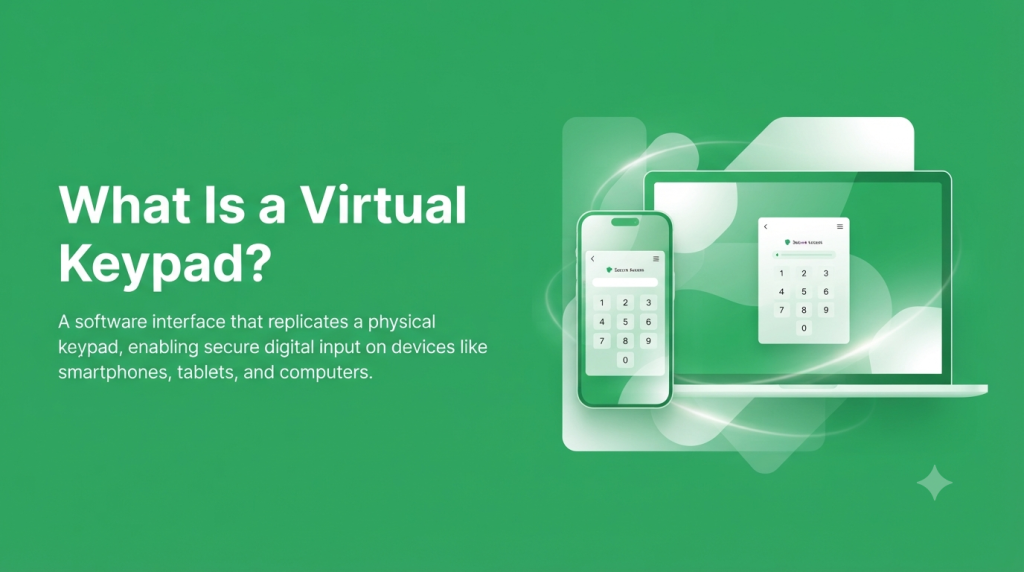
Managing a security system no longer requires you to stand in front of a wall-mounted keypad every time you want to arm or disarm your alarm. Thanks to modern technology, you can now control your entire security system directly from your smartphone, tablet, or computer. This is made possible through a virtual keypad, a smart digital interface that provides remote access to your home or business security system.
Whether you’re leaving for work, traveling on vacation, or simply checking your property from another room, a virtual keypad gives you complete control with just a few taps. It offers the same core functionality as a traditional alarm keypad while introducing advanced features such as remote access, real-time notifications, activity logs, and smart home integration.
Over the past few years, virtual keypads have become increasingly popular because they make security management more convenient without compromising safety. Instead of relying solely on a physical keypad, users can monitor their property, receive alerts, and manage multiple devices from a single application.
In this guide, you’ll learn everything you need to know about virtual keypads, including how they work, their key features, benefits, common use cases, and why they have become an essential part of modern security systems.
What Is a Virtual Keypad?
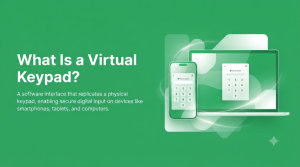
A virtual keypad is a software-based version of a traditional security keypad. Rather than entering commands on a keypad installed near your front door or office entrance, you interact with your security system through a mobile application or web browser.
Although it looks different from a physical keypad, it performs many of the same functions. You can arm or disarm your alarm system, check its current status, review recent activity, and manage connected devices from virtually anywhere with an internet connection.
For homeowners, a virtual keypad provides peace of mind by allowing them to monitor their property even when they are away. For businesses, it simplifies security management by giving administrators remote access to multiple locations without requiring them to be on-site.
What Can You Do with a Virtual Keypad?
A typical virtual keypad allows you to perform tasks such as:
- Arm or disarm your security system remotely.
- View the current system status.
- Receive instant alerts when security events occur.
- Review activity history.
- Manage multiple users.
- Control compatible smart home devices.
- Access live security camera feeds (if supported).
Instead of switching between different applications, many users manage their entire security system from one dashboard.
How a Virtual Keypad Works
A virtual keypad connects to your alarm system through a secure internet or cellular connection. Once your security panel is linked to your account, the application communicates with the system in real time.
Whenever you press a button inside the app, such as Arm Away, Disarm, or Lock Doors, the command is securely transmitted to the security panel. Within seconds, the system completes the requested action and sends confirmation back to the application.
This process happens almost instantly, making remote control feel as responsive as using a physical keypad.
For example, imagine you’re halfway to work and suddenly realize you forgot to arm your alarm system. Instead of driving back home, you simply open the virtual keypad app, tap Arm Away, and your home is secured within moments.
How the Process Works
| 1. Open the App | Launch the virtual keypad on your phone, tablet, or browser. |
| 2. Sign In Securely | Verify your identity using your password or biometric authentication. |
| 3. Select a Command | Choose actions like Arm, Disarm, Lock Doors, or View Cameras. |
| 4. Command Is Sent | The app securely communicates with your alarm system. |
| 5. Confirmation Appears | Your security system updates and displays its latest status. |
Because communication is encrypted, only authorized users can access and control the system.
Virtual Keypad vs Physical Keypad
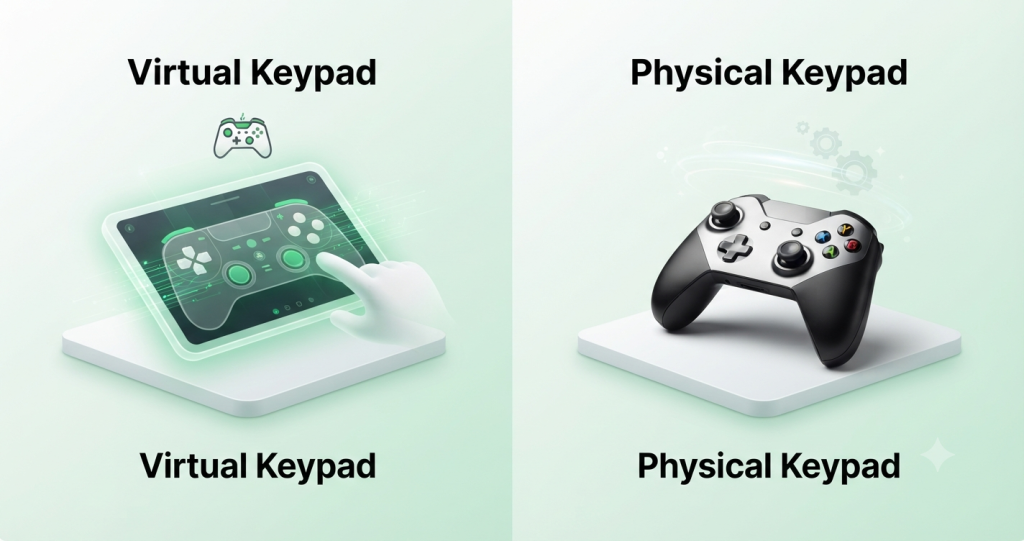
Both virtual and physical keypads perform the same basic function they control your security system. However, the overall experience is very different.
A physical keypad is installed inside the property and requires someone to be present to operate it. While it is reliable for on-site use, it does not support remote access or advanced cloud-based features.
A virtual keypad removes these limitations by allowing users to manage their security system from virtually anywhere. It also introduces features such as instant notifications, smart home integration, and activity history that are not available on most traditional keypads.
| Remote Access | ✅ Yes | ❌ No |
| Smartphone Support | ✅ Yes | ❌ No |
| Web Browser Access | ✅ Yes | ❌ No |
| Instant Notifications | ✅ Yes | ❌ No |
| Activity History | ✅ Detailed Logs | ⚠️ Basic |
| Smart Device Control | ✅ Supported | ❌ Limited |
| User Management | ✅ Advanced | ⚠️ Basic |
| Internet Required | Usually Yes | No |
Although virtual keypads offer significantly more flexibility, many security systems still include a physical keypad as a backup for local operation.
Key Features of a Virtual Keypad
Modern virtual keypads are designed to do much more than simply activate an alarm. They provide intelligent tools that improve convenience, enhance security, and simplify daily management of your home or business.
Remote Arm and Disarm
Remote control is one of the biggest reasons people choose a virtual keypad. Instead of worrying whether you remembered to activate your alarm before leaving, you can simply check your phone and secure your property from anywhere.
This feature is especially useful for homeowners who travel frequently or business owners who manage multiple locations. It also makes it easy to provide temporary access to family members, employees, or service providers without sharing your permanent security code.
Real-Time Alerts and Notifications
A virtual keypad keeps you informed about what’s happening at your property by sending notifications the moment important events occur.
For example, you’ll receive alerts if someone opens a door, motion is detected, an alarm is triggered, or your system experiences a power outage. These notifications help you react quickly and reduce the chances of missing critical security events.
Common Notifications
| Alarm Triggered | Immediate security warning |
| Door Opened | Entry point activity |
| Motion Detected | Movement inside monitored areas |
| Low Battery | Device requires maintenance |
| Power Failure | System lost electrical power |
Event History and Activity Logs
Every action performed within the security system is recorded automatically. These logs provide valuable information about who accessed the property, when the system was armed or disarmed, and whether any alarms were triggered.
For businesses, this creates greater accountability because employee activity can be reviewed whenever necessary. Homeowners also benefit by knowing exactly when family members arrive or leave the property.
Camera and Smart Device Integration
Many virtual keypad platforms integrate with smart home technology, allowing users to control multiple devices from one application.
Instead of using separate apps for security cameras, smart locks, lights, and thermostats, everything can be managed through a single dashboard.
Some compatible devices include:
- Smart door locks
- Security cameras
- Video doorbells
- Smart lighting
- Garage door controllers
- Smart thermostats
This integration creates a more connected and efficient security system.
User Management and Access Control
Managing user access is much easier with a virtual keypad. Administrators can create separate accounts, assign individual access codes, and define permission levels for different users.
For example, parents can give their children their own access codes, while business owners can assign unique credentials to employees. Temporary codes can also be created for guests, cleaners, or maintenance workers, ensuring they only have access when needed.
Benefits of Using a Virtual Keypad
A virtual keypad offers much more than convenience. It improves security, simplifies system management, and gives users greater flexibility in how they protect their property.
Enhanced Security
Modern virtual keypad applications use encrypted communication, secure authentication, and regular software updates to help protect your account and connected devices.
Because users receive instant alerts whenever unusual activity occurs, they can respond much faster than they could with traditional alarm systems.
Remote Access from Anywhere
Whether you’re on vacation, at work, or visiting family, a virtual keypad allows you to check your security system at any time.
Instead of wondering whether your alarm is armed, you can simply open the app and verify your system status within seconds.
Easy System Management
Traditional alarm systems often require users to navigate through physical keypads and complicated menu options. A virtual keypad simplifies this experience by providing an intuitive interface where everything is organized in one place.
From the dashboard, you can view the current system status, manage connected devices, review activity history, update user permissions, and adjust notification settings. Since most applications are designed with a clean, user-friendly layout, even first-time users can learn to operate the system without extensive training.
For businesses, centralized management becomes even more valuable. Administrators can monitor multiple users, verify recent activity, and make security changes remotely instead of visiting each location.
Time-Saving Automation
Many virtual keypad platforms support automation features that reduce repetitive tasks and improve overall efficiency.
Instead of manually performing the same actions every day, you can create schedules or routines that operate automatically. For example, your system can arm itself every night, lock smart doors after business hours, or turn on outdoor lights when motion is detected.
These automations not only save time but also reduce the risk of human error, ensuring your property remains protected even if you forget to perform routine security tasks.
Examples of Security Automation
| Automatic Night Arming | Secures your property at a scheduled time every evening. |
| Smart Door Lock Schedule | Automatically locks doors after office hours. |
| Motion-Activated Lighting | Improves visibility and deters unwanted visitors. |
| Vacation Mode | Simulates occupancy by controlling lights and devices. |
| Scheduled Notifications | Sends reminders if the system remains disarmed. |
By combining automation with remote access, a virtual keypad delivers a smarter, more efficient security experience.
Common Uses of a Virtual Keypad
Virtual keypads are suitable for a wide range of environments. Whether you’re protecting a family home or managing a commercial property, they provide flexibility that traditional security systems often cannot match.
Home Security Systems
Homeowners use virtual keypads to monitor their properties even when they are away. Instead of worrying whether the alarm was activated before leaving, they can simply check the app and make adjustments if needed.
Parents also appreciate receiving notifications when children arrive home from school or when a trusted visitor enters the property. Combined with security cameras and smart locks, a virtual keypad provides complete visibility into daily household activity.
Small Business Security
Small business owners often need to monitor their property outside normal working hours. A virtual keypad allows them to arm or disarm the alarm remotely, review employee access history, and receive immediate alerts if unusual activity occurs.
This is especially useful for businesses with multiple employees or multiple office locations, where managing physical keypads alone would be less efficient.
Smart Home Automation
A virtual keypad can serve as the central control hub for a smart home. Instead of using multiple applications for different devices, users can manage lighting, cameras, locks, thermostats, and garage doors from a single interface.
This creates a more connected home while making everyday tasks simpler and more convenient.
Supported Devices and Compatibility
Most modern virtual keypad applications are designed to work across multiple platforms, allowing users to access their security systems from whichever device they prefer.
Before installing an app, however, it’s important to verify that your alarm panel is compatible with the software provided by your security company.
Android, iPhone, and iPad
Most providers offer dedicated mobile applications for both Android and iOS devices. These apps provide full access to your security system, including remote controls, activity history, camera integration, and push notifications.
Whether you’re using a smartphone or tablet, the experience remains consistent across devices.
Web Browser Access
Many virtual keypad services also provide browser-based dashboards. This allows users to manage their security system from desktop or laptop computers without installing additional software.
Browser access is particularly useful for office administrators who prefer working on larger screens while reviewing reports or managing multiple user accounts.
Compatible Alarm Systems
Not every alarm panel supports virtual keypad functionality. Compatibility depends on the manufacturer, communication hardware, and the monitoring service connected to your system.
Before downloading an application, check whether your security provider officially supports remote access for your specific alarm model.
Compatibility Checklist
| Compatible Alarm Panel | Supports remote communication. |
| Internet or Cellular Connection | Allows the system to exchange data securely. |
| Official Mobile Application | Ensures reliable access and updates. |
| Active Monitoring Service (if required) | Enables advanced remote features. |
How to Set Up a Virtual Keypad
Setting up a virtual keypad is usually straightforward and takes only a few minutes if your security system already supports remote access.
Download and Install the App
Begin by downloading the official application provided by your security company from the Google Play Store or Apple App Store.
Always install the official version to ensure your account and security system remain protected.
Create an Account
After installing the app, create an account using your email address and a strong password. Some providers may also ask you to verify your email or phone number before activation.
Using a unique password is recommended to improve account security.
Connect Your Security System
Once your account has been created, you’ll need to connect your alarm system to the application. Depending on the provider, this may involve entering an activation code, scanning a QR code, or following instructions provided by your installer.
After successful pairing, the app will display your current system status and connected devices.
Complete the Initial Setup
Before using your virtual keypad regularly, configure your preferred settings.
This includes enabling notifications, adding additional users, setting access permissions, and testing your alarm to confirm that communication between the app and the security system is working correctly.
How to Use a Virtual Keypad
Once everything is configured, operating a virtual keypad becomes simple.
Arm and Disarm Your System
The main dashboard usually displays large Arm and Disarm buttons, making it easy to switch between security modes.
Whether you’re leaving home or returning from work, changing your alarm status only takes a few seconds.
Control Smart Devices
If your system includes compatible smart devices, you can control them directly from the application.
Common examples include locking doors, adjusting thermostats, viewing camera feeds, opening garage doors, and controlling indoor or outdoor lighting.
Manage Users and Access Codes
Administrators can easily add or remove users whenever necessary.
Temporary access codes can also be created for visitors, contractors, cleaners, or delivery personnel without revealing permanent security credentials.
Customize Notifications
Most virtual keypad applications allow users to choose exactly which alerts they want to receive.
For example, you might receive notifications only for alarm activations and door openings while disabling less important system messages.
Personalized notifications help reduce unnecessary alerts while ensuring important events are never missed.
Security Best Practices
Although virtual keypads are designed with strong security measures, following a few best practices will provide even greater protection.
Use Strong Passwords
Choose a password that combines uppercase and lowercase letters, numbers, and special characters.
Avoid using birthdays, names, or other easily guessed information.
Enable Two-Factor Authentication
Whenever available, enable Two-Factor Authentication (2FA).
This adds an extra verification step during login, making it much harder for unauthorized users to access your account.
Keep the App Updated
Software updates often include important security improvements, bug fixes, and new features.
Installing updates promptly helps maintain the reliability and security of your virtual keypad.
Common Problems and Solutions
Like any connected technology, virtual keypads may occasionally experience technical issues.
| App won’t connect | Check your internet connection and restart the app. |
| Login failed | Verify your username and password or reset your credentials. |
| Notifications not working | Enable notification permissions in your device settings. |
| Devices not syncing | Refresh the connection or restart the alarm panel. |
| Camera unavailable | Confirm the camera is online and connected to the network. |
Most issues can be resolved by updating the app, restarting the device, or contacting your security provider for additional support.
Final Thoughts
A virtual keypad is a software-based input interface that allows users to enter commands, PINs, or passwords using a touchscreen, mouse, or keyboard instead of a physical keypad. It is widely used in smart home systems, security applications, kiosks, and virtual input solutions, offering greater flexibility, convenience, and accessibility across different devices.
For users working with virtual input technologies on Windows, ViGEmBus provides the virtual driver support used by many controller and input emulation tools. At Vigembus, you’ll find comprehensive guides, setup tutorials, and troubleshooting resources to help you understand and configure virtual input solutions for the best performance.
Frequently Asked Questions
What Is a Virtual Keypad Used For?
A virtual keypad allows users to remotely control compatible security systems, receive alerts, monitor activity, and manage connected smart devices from a smartphone, tablet, or computer.
Is a Virtual Keypad Safe?
Yes. Most virtual keypad applications use encrypted communication, secure cloud infrastructure, and authentication features such as biometric login or Two-Factor Authentication to protect user accounts.
Can I use it without the Internet?
Most virtual keypad features require an internet connection. However, some professionally monitored systems can continue to communicate via cellular backup during internet outages.
Does It Work with Every Alarm System?
No. Virtual keypad applications only work with supported alarm panels. Always check compatibility with your security provider before installation.
Is the Virtual Keypad App Free?
Many providers offer free applications, but some advanced features such as cloud video storage, professional monitoring, or smart home automation may require a paid subscription.
Latest Posts